To download a list of all students in your organisation on CENTURY:
Go to the Class Admin tab.
Navigate to the Students tab.
Click on the three dots icon on the right, then click ‘Download all students CSV’. You can then select whether to download a list of all students, or to exclude any students with disabled accounts.
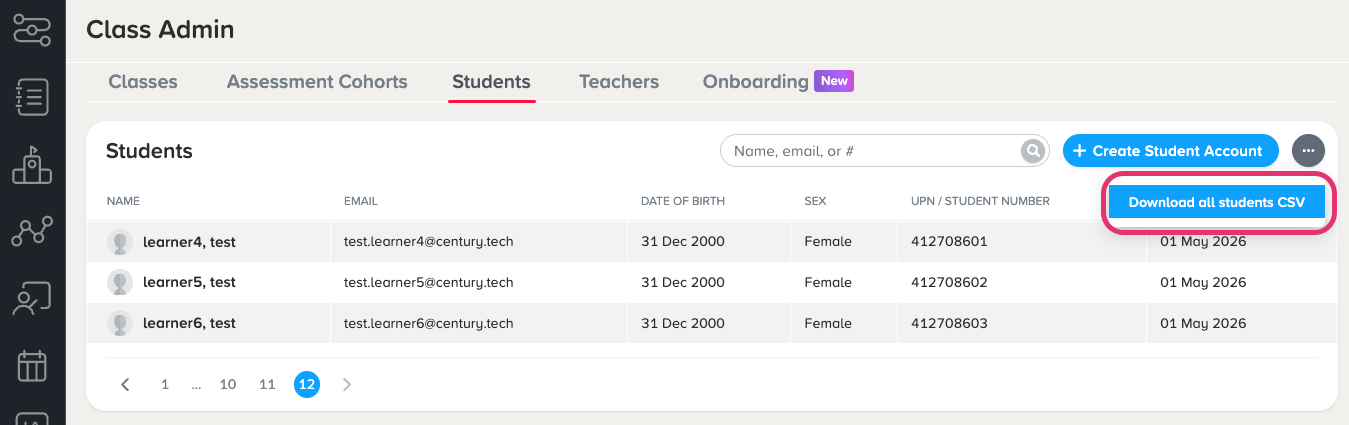
4. A CSV file will be downloaded to your computer, which includes:
Names
Emails / usernames
Date of birth
Sex
SEN, EAL, and PP information
Enabled account status
To download a list of all teachers within your organisation:
Go to the Class Admin tab.
Navigate to the Teachers tab.
Click on the three dots icon on the right, then click ‘Download all teachers CSV’. You can then select whether to download a list of all teachers, or to filter for specific roles. You can also choose whether to include deactivated accounts.
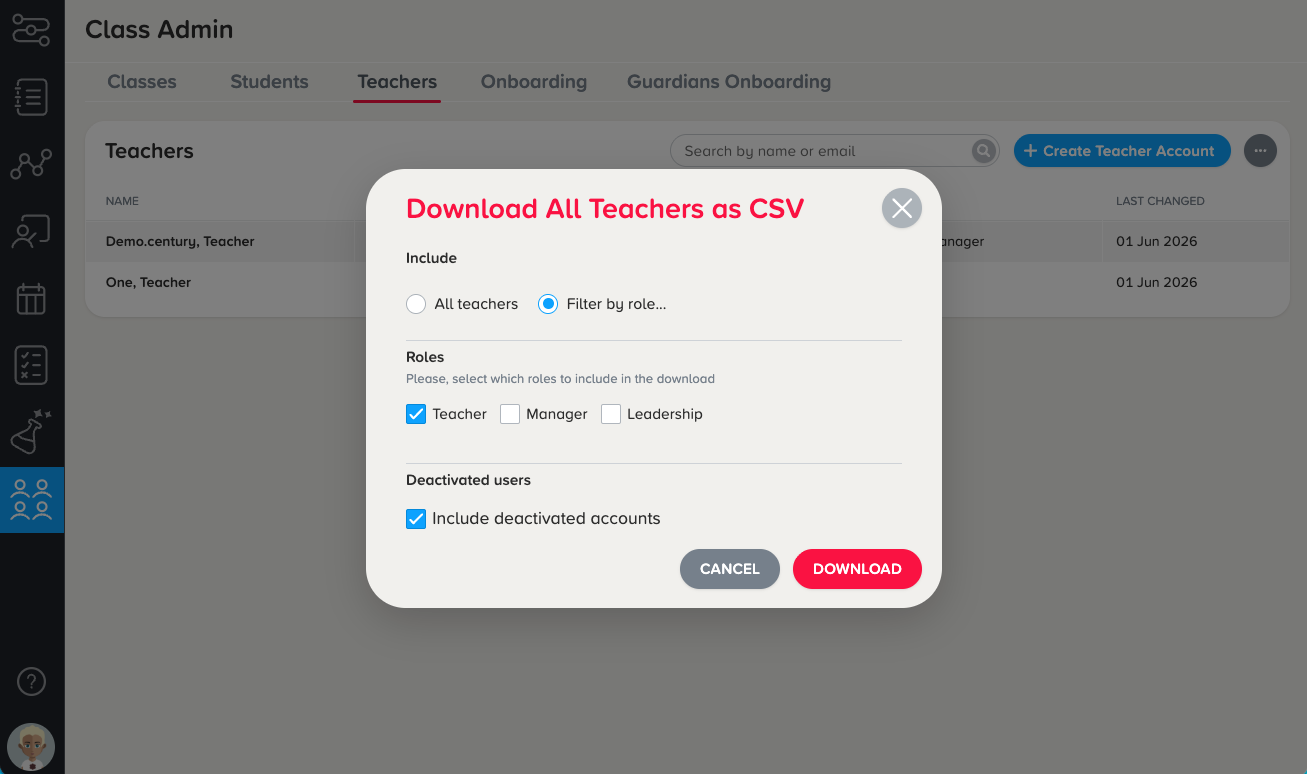
4. A CSV file will be downloaded to your computer, which includes:
Names
Emails / usernames
Assigned role(s) on CENTURY
Enabled account status
Was this article helpful?
That’s Great!
Thank you for your feedback
Sorry! We couldn't be helpful
Thank you for your feedback
Feedback sent
We appreciate your effort and will try to fix the article