If you need to edit a teacher account's details, follow these instructions:
Note: Only teachers with Manager permissions can edit account details. Please contact your Account Manager or support@century.tech if you would like to update your CENTURY permissions.
Go to your Class Admin tab.
Go to the Teachers tab.
Search and select the teacher whose information you wish to update.
Select the three dot icon to the right of their name, then select the field you wish to edit.
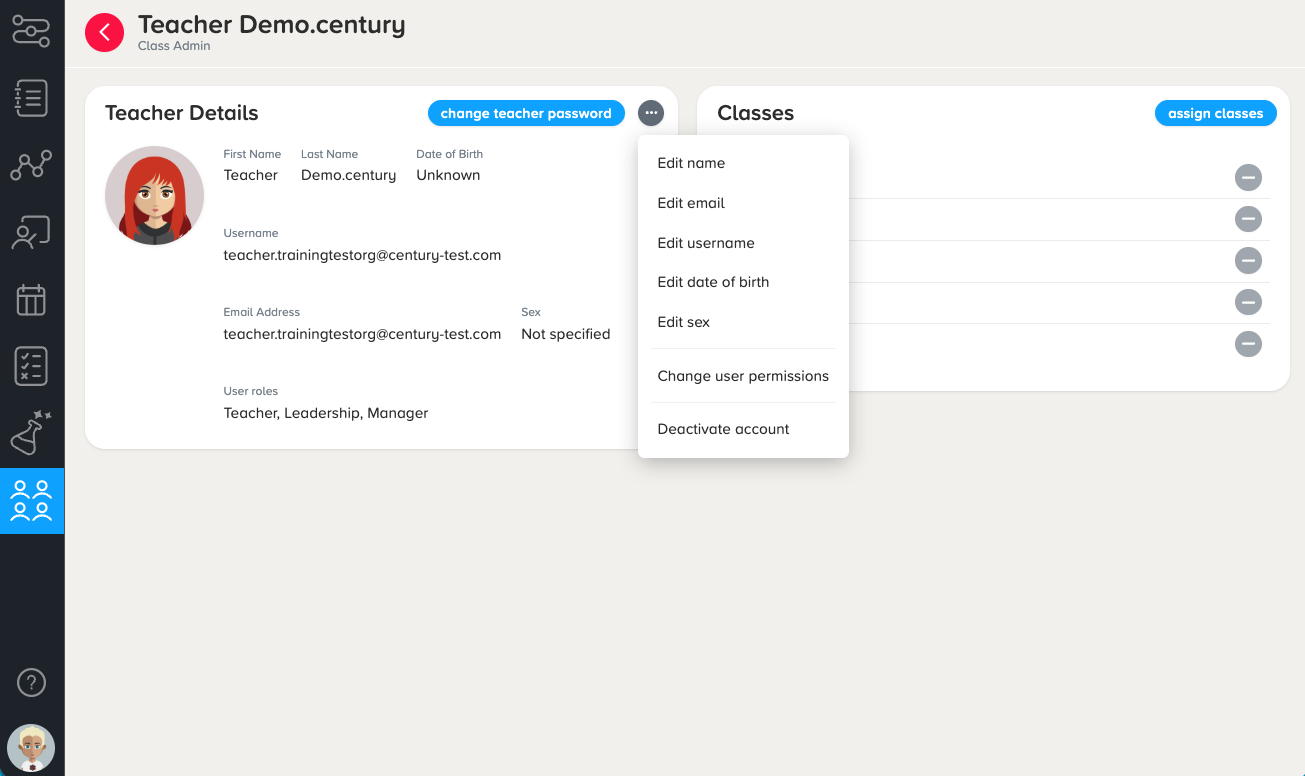
This includes their name, email, username, date of birth, and sex.
You can also amend their account permissions by adding or removing Manager permissions or Leadership access.
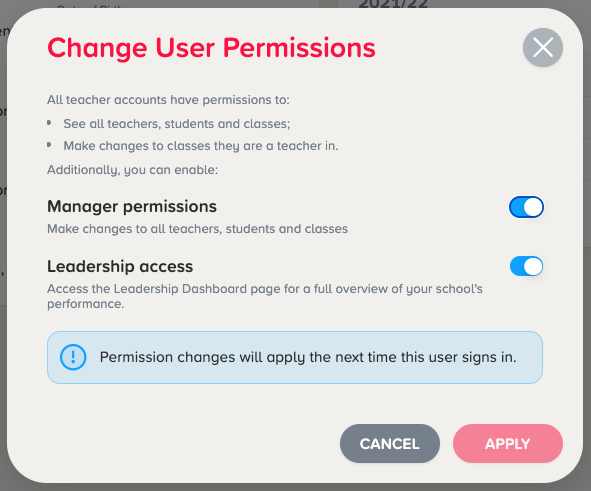
5. Enter their details, then click ‘Apply’.
If you edit their email or username, please ensure their email address or username is unique to your organisation.
Was this article helpful?
That’s Great!
Thank you for your feedback
Sorry! We couldn't be helpful
Thank you for your feedback
Feedback sent
We appreciate your effort and will try to fix the article