Use this method to manually create individual teacher accounts on an ad-hoc basis. To mass upload multiple teachers at once, please read this help page for more information.
Note: You must have Manager access permissions on CENTURY in order to add new users.
To onboard an individual teacher, follow these steps:
Go to your Class Admin tab, then select Teachers.
Click on the 'Create Teacher Account' button.
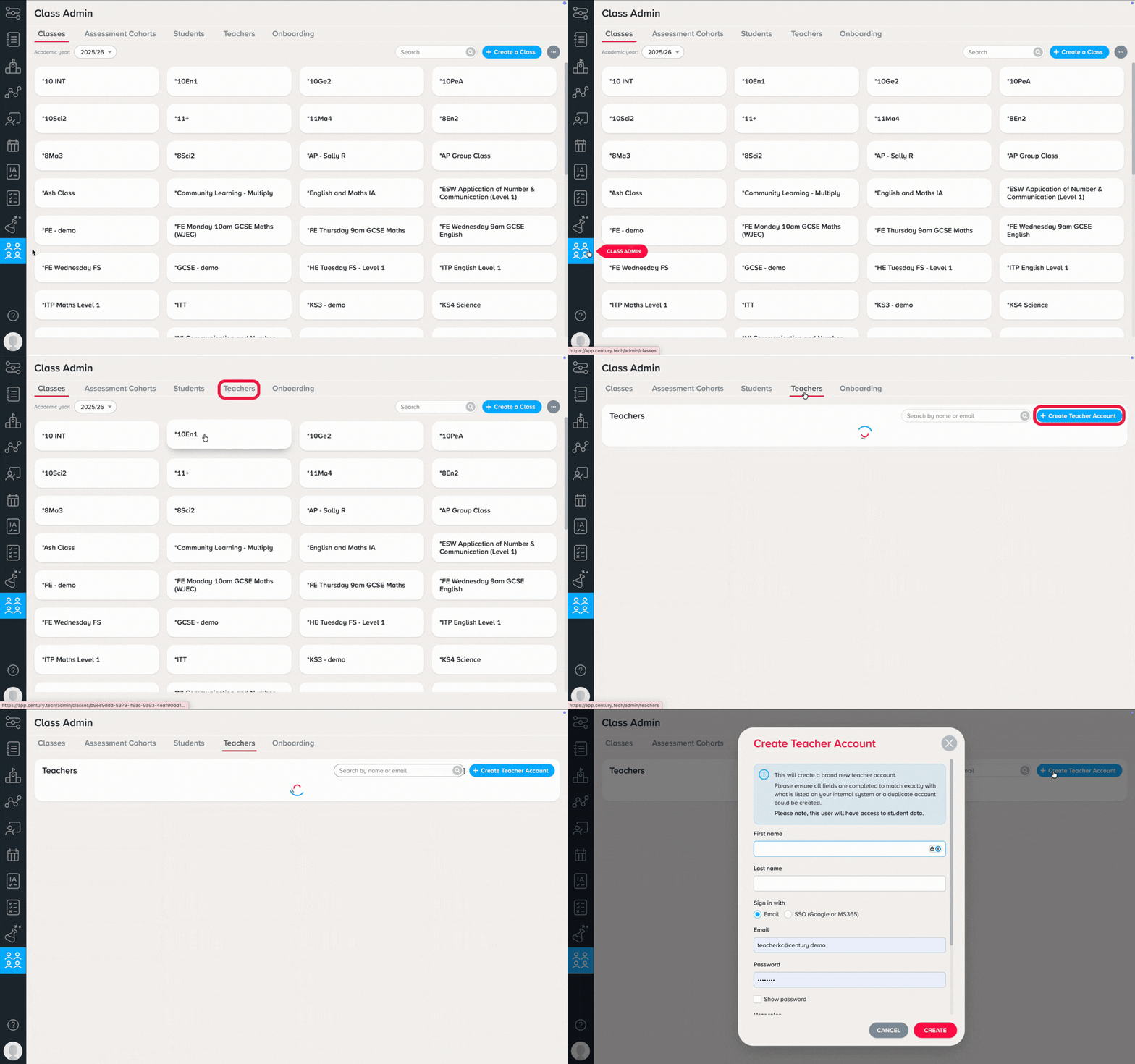
3. Enter their first and last name, select how the teacher will login, and set their account role(s).
Note: Please ensure their email address is unique within your organisation.
(Optional) Enter additional details such as date of birth and sex.
Click ‘Create’. The teacher's account will now be created and is ready to be assigned to classes.
Was this article helpful?
That’s Great!
Thank you for your feedback
Sorry! We couldn't be helpful
Thank you for your feedback
Feedback sent
We appreciate your effort and will try to fix the article